
How to Move an Office Without Downtime in Roseland
How to move an office without downtime using a phased after-hours plan, tested IT cutover, and Roseland logistics. Teams log in on time the next day.
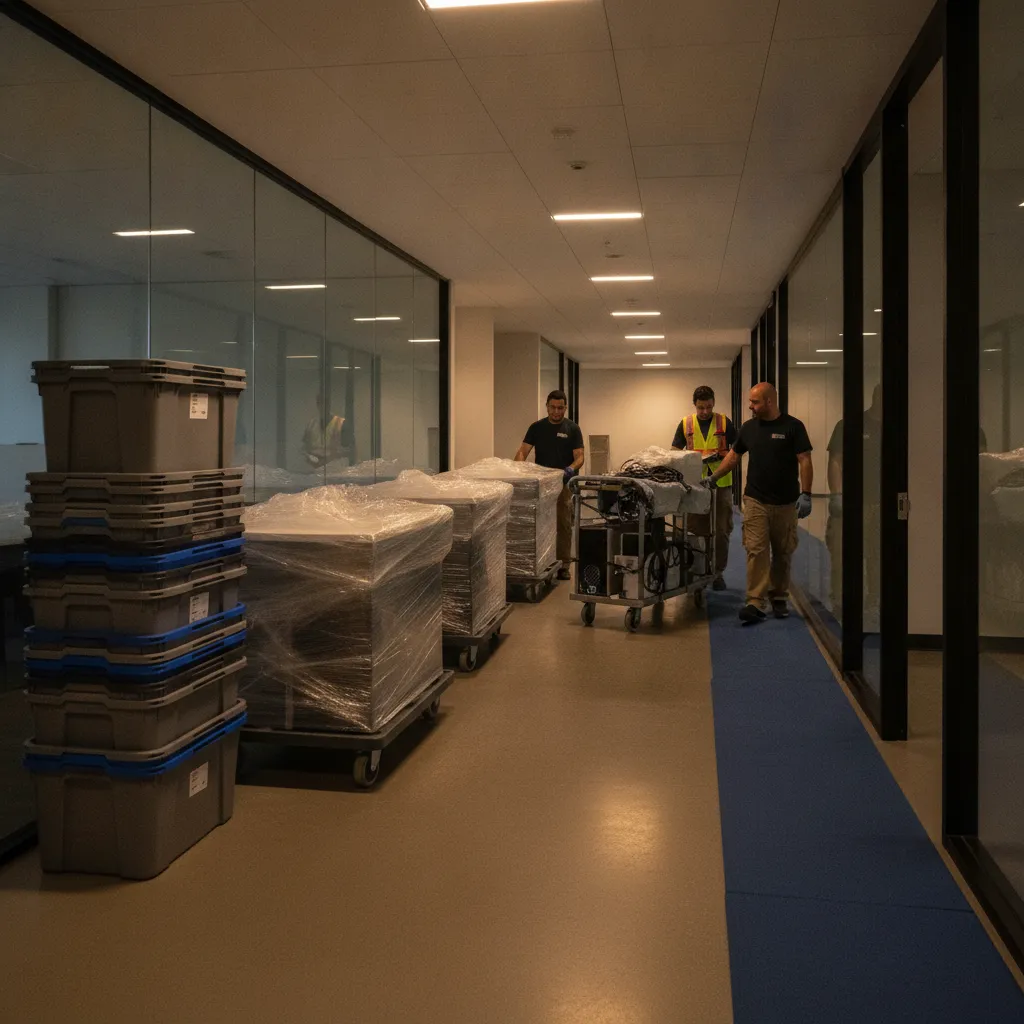
Office relocation without downtime is an after-hours, phased move that keeps core systems live while furniture and cabling are pre-staged at the new site. The aim is a same-night cutover so staff sign in the next business day. In Roseland, tight elevator bookings and dock windows make precise timing essential.
By EC Movers Ltd — Commercial & Office Moving Specialists • Last updated: 2026-07-12
| In business since | 2015 |
|---|---|
| Service area | Windsor & Essex County with long-distance capability across Canada |
| Hours | Mon–Sat 7:00 am–11:00 pm; Sun 9:00 am–11:00 pm |
| Certification | Fully insured & WSIB-certified operations |
| Specialty handling | Pianos, hot tubs, pool tables, safes, and high-value equipment |
| Customer rating | 5.0 average rating |
- Summary
- Prerequisites
- Step-by-step process
- Troubleshooting
- Windsor tips
- FAQ
- Conclusion
- Additional resources
Roseland operator’s tip
Elevator bookings around Roseland often require 48–72 hours’ notice and after-hours supervision. We book late-evening windows to avoid 7–9 am dock congestion along Walker Road corridors and pre-lay floor protection so lobbies stay clean.
Quick Summary
A no-downtime office move hinges on access control, a tested IT cutover, and precise labeling. Book elevators and docks days ahead, pilot one pod, and move after hours. Keep the old site live until validation at the new one passes. Teams should log in on time the next morning.
- Timeline: 4–8 weeks of planning; cutover window 4–6 hours for SMB offices.
- Pilot: Test a 6–8 workstation pod one week ahead.
- Sequence: Network first, then desks, then decor and archive.
- Ownership: One decision-maker on-site to approve changes fast.
What You Need Before the Move Begins (Prerequisites)
Confirm building access, align people, and finalize plans. Reserve elevators 48–72 hours ahead, secure dock windows, and file insurance certificates. Complete a mock IT failover and label a zone-based floor plan. Pre-pack non-essentials and stage protection gear so crews can focus on the cutover.
We start with a Roseland walk-through to map the elevator path, measure door widths, and mark tight corners. That 30-minute loop prevents 3-hour delays later.
- Access locked: Elevator booking, dock timing, security contacts, and certificate of insurance on file.
- IT cutover playbook: Priority systems list, backup verified, rollback plan, and a 15-minute validation script.
- Zone-based floor plan: Color-coded areas; each desk, chair, and monitor labeled to match its zone.
- Staff comms: Two notices—T–7 days and T–1 day—covering what to pack and Monday check-in steps.
- Staging kit: Reusable totes, anti-static sleeves, cable ties, runners, and corner guards.
- Vendors on call: ISP handoff booked at least 10 business days out; access control and copier techs on standby.
Opinion from the field: bring the network up before you wheel in a single desk. Rebuilding furniture without live ports is how "quick" nights turn into sunrise resets.
Step-by-Step: How to Move an Office Without Downtime
Move after hours in a fixed sequence: freeze changes, pre-stage furniture, label and secure IT, cut over the network, rebuild priority pods, and validate. Keep the old site live until the new one passes checks, then complete remaining zones and sign off.
Picture 11:15 pm in a quiet hallway: floor runners down, carts humming, and the IT lead green-lighting authentication as Outlook loads. That’s the moment you know tomorrow’s on schedule.
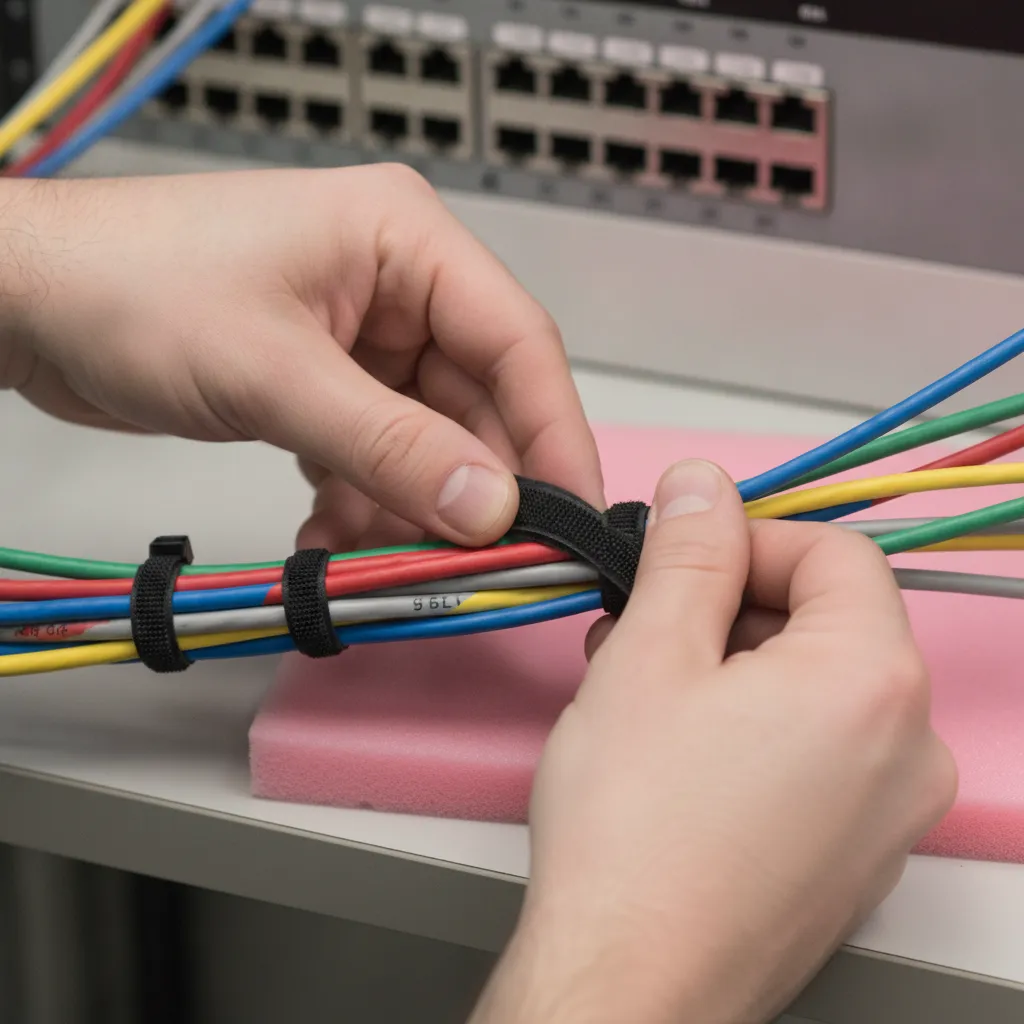
- Set a content freeze (T–24h): Pause file changes so backups reflect reality and restores are clean.
- Pre-stage furniture (T–6h): Place desks and conference tables by zone so wiring teams aren’t dodging dollies.
- Photograph and label IT (T–5h): Snap each workstation, bundle cables, and tag devices for a fast, accurate rebuild.
- Cut over the network (T–4h): Bring up switches, test internet handoff, and validate sign-in and printing.
- Rebuild a pilot pod (T–3h): Stand up 6–8 priority seats, confirm performance, then scale to remaining zones.
- Complete workstations (T–2h): Deploy monitors, docks, and chairs; place welcome cards with zone IDs.
- Final sweep & sign-off (T–1h): Walk each zone with facilities and IT; confirm power, data, and ergonomics.

We’ve found a 4–6 hour window suits most small to mid-size Windsor offices. Larger or multi-floor moves benefit from a two-phase weekend plan.
Want a no-drama night? Our Commercial & Office Moving team sequences every step, books elevators, and sets up workstations overnight. Add full packing and unpacking so your staff packs light and starts fast.
Troubleshooting: When Things Go Wrong Mid-Move
Stabilize first, then re-sequence. If elevators stall or ISP handoff lags, pause the cutover, keep the old site live, and pivot crews to low-risk tasks like staging and labeling. Escalate with building management and the ISP while protecting the timeline.
Real night, real fix: a Roseland client’s ISP window slipped by 90 minutes. We held the network cut, finished pre-staging, and validated LAN services first. Once the handoff arrived, authentication testing took 10 minutes and the pilot pod came online.
- Elevator outage: Call security, request ETA, and work ground-floor zones. Keep carts off crowded lobbies.
- Handoff delay: Validate LAN and Wi‑Fi, keep a handful of roles at the old site, then switch when WAN is live.
- Access hiccups: Use an escort list with building security to avoid idle crews.
- Label drift: Rebuild by desk photos and zone maps; re-label cleanly to prevent future confusion.
- Clutter pile-ups: Run a five-minute reset: clear aisles, refresh runners, and restart the sequence.
Our stance: never decommission the old site until the new one passes validation. That single rule saves more moves than any gadget.
How Windsor Businesses Can Cut Downtime Further
Pilot early, pick weekend windows, and separate specialties. A small test pod catches wiring quirks, Saturday night cutovers avoid weekday dock traffic, and specialty movers handle heavy items while IT focuses on the network and apps.
Local context shapes the plan. In Roseland and across Windsor‑Essex, these tactics pay off:
- Pilot before prime time: Stage a pod of 6–8 seats a week early to tune switch ports and Wi‑Fi placement.
- Weekend cutovers: Saturday evenings sidestep 7–9 am weekday dock congestion.
- Specialty items, parallel track: Keep IT on networks while pros manage safes, pianos, or lab gear.
- Reusable protection: Our crews bring totes, pad wrap, and runners so floors and walls stay pristine.
- Short-term buffer: Use packing and storage coordination to declutter the new site for the first week.
Local considerations for Roseland
- Plan dock timing near Walker Square to avoid retail surges; late evenings improve truck flow.
- If your route passes Captain J. Wilson Park, consider weekend events that can slow local streets.
- Downtown handoffs? Our local moving crews know Windsor office loading habits and alley access patterns.
Cross-province consolidations? Our long-distance movers coordinate multi-site pickups so each department receives a clean, labeled delivery wave.
FAQ
Plan 4–8 weeks ahead, assign one on-site decision-maker, and run a pilot pod. Schedule an after-hours cutover, label everything, and keep the old site live until the new one passes a short validation script.
How far in advance should we plan a no-downtime office move?
Most small to mid-size offices succeed with a 4–8 week runway. That window covers elevator/dock reservations, a mock IT failover, zone labeling, and staff notices. Complex networks or new ISP installs benefit from earlier coordination.
Should IT move before or after furniture?
Bring the network up first, then place desks. Testing live ports and authentication before furniture arrives prevents trial-and-error rebuilds. We photograph each workstation and label cables so the rebuild matches how users actually work.
What helps staff be productive on Day 1?
Provide a simple desk map, pre-set chairs and monitors, and confirm printing before sign-off. Keep remote access available at the old site until validation passes. A pilot pod ensures the first group is working within minutes of arrival.
Can you handle unusual or heavy items during the move?
Yes. Our specialty teams move high-value or heavy items—pianos, hot tubs, pool tables—on a parallel track while the core crew stages furniture and IT. Parallelizing protects timelines and reduces downtime risk.
Conclusion
A smooth, downtime-free move couples building access control with a disciplined IT cutover and meticulous labeling. Pilot early, move after hours, and validate before decommissioning the old site. Local know-how turns a long night into an on-time Monday.
- Key takeaways
- Reserve elevators/docks 48–72 hours ahead; file insurance documents.
- Pilot a 6–8 seat pod; tune ports and Wi‑Fi.
- Cut over the network before furniture floods the floor.
- Keep the old site live until validation passes at the new one.
Ready to see how to move an office without downtime executed cleanly? Our Roseland-based crews plan, pack, and set up overnight so your team logs in on time. Start with our commercial moving page.
Additional Resources
Use outside viewpoints to sanity-check your plan, then tailor them to Roseland logistics and your floor plan. Compare multiple checklists, confirm access windows, and align with your IT validation script before move night.
For a comparative lens on planning and checklists, see this office move starter guide and practical commercial moving pointers. For local logistics parallels, review local moving logistics and adapt them to Windsor-Roseland. For specialty items in office amenity spaces, our internal briefs on hot tubs and pianos apply.
Planning a move? See how our movers in Windsor, Ontario can help, with a free flat-rate quote.
Ready to move?
Get your free quote from EC Movers today.